

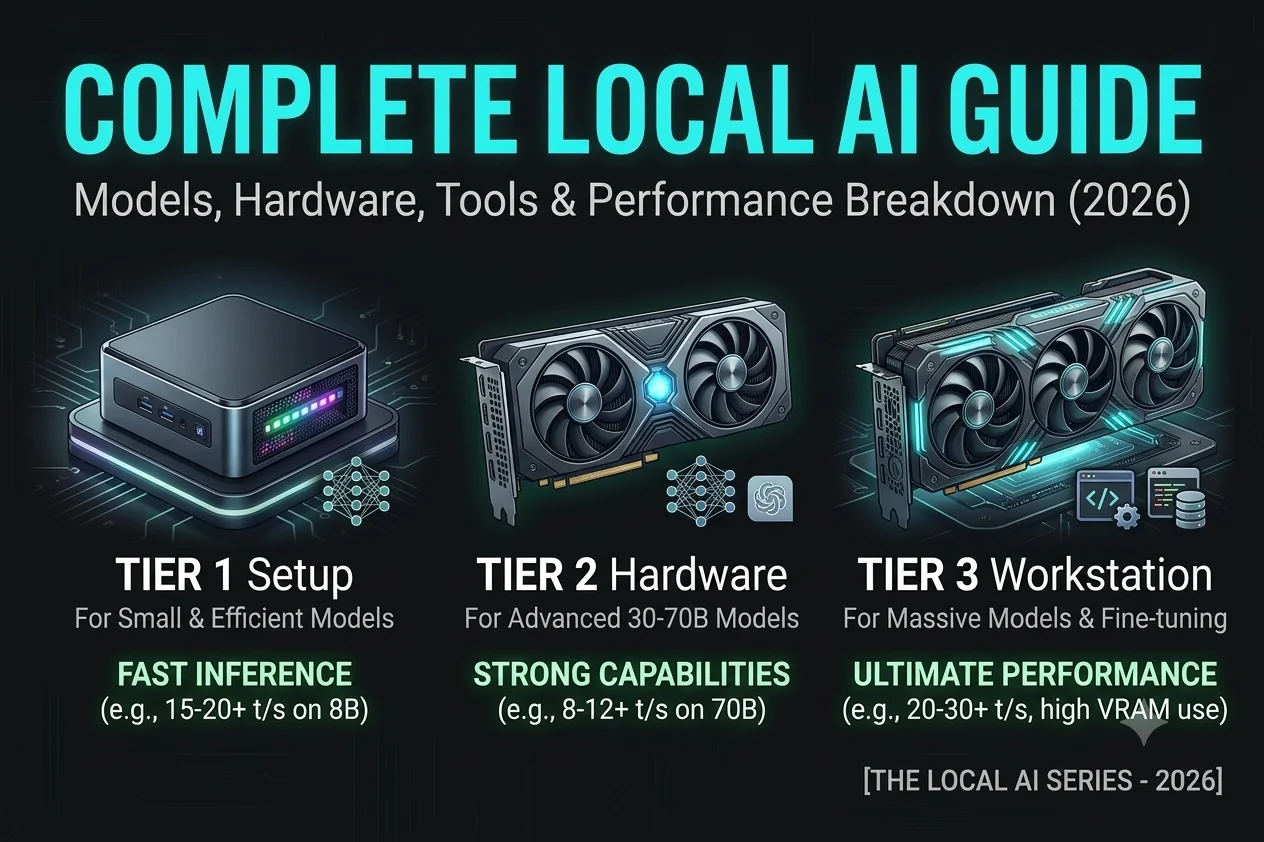
Running large language models on your own hardware has moved from a niche hobbyist pursuit to a genuinely practical alternative to cloud-based AI in 2026. Whether you’re motivated by data privacy, cost savings, offline access or simply the desire to tinker without API rate limits, local AI has never been more accessible.
Thanks to aggressive quantization techniques, leaner model architectures and increasingly capable consumer GPUs, models that once demanded enterprise-grade infrastructure now run comfortably on a gaming laptop or a modest desktop build.
This guide cuts through the noise to give you a clear, up-to-date road map for running AI locally. We’ll cover the current landscape of open-weight models worth downloading, from compact models suited for everyday tasks to larger ones that rival commercial offerings in reasoning and coding.
You’ll get practical hardware guidance on what GPU, RAM and storage actually matter and how to size your setup to your budget and goals. We’ll also walk through the tools and frameworks that make local inference simple, from one-click applications to more flexible command-line setups, along with real performance benchmarks so you know what to expect before you buy anything.
What Is Local AI?
Local AI means running an artificial intelligence model directly on your own computer instead of using a cloud-based service.
When you use an online chatbot, your prompt is sent to a remote server where the AI generates a response. With local AI, your computer performs the inference process using its own hardware. Everything happens on your device.
This approach offers several practical advantages.
- Your data remains private.
- You can work without an internet connection.
- You control which AI models you use.
- You avoid ongoing subscription or API fees.
- You can customize your AI environment.
Local AI is now used for many everyday tasks, including:
- Writing and editing content
- Software development
- Research
- Document summarization
- Translation
- Personal knowledge management
- Business automation
The quality of these tasks depends on choosing the right combination of hardware, AI model and software.
Why Is Local AI Becoming So Popular?
The rise of local AI is driven by three major changes.
First, open-source AI models have improved significantly. Modern models provide high-quality responses while requiring far less computing power than earlier generations.
Second, consumer hardware has become much more capable. New GPUs, faster CPUs and Apple Silicon’s Unified Memory architecture allow many users to run models that previously required expensive servers.
Third, the software ecosystem has matured. Instead of manually configuring complex environments, users can now install applications such as LM Studio or Ollama, download a model from Hugging Face and start chatting within minutes.

These improvements have made local AI accessible to students, freelancers, developers, researchers and businesses.
How the Local AI Ecosystem Works
Although local AI may seem complex at first, every setup follows the same basic workflow.
Your Prompt
│
▼
AI Runner (Ollama / LM Studio)
│
▼
AI Model (GGUF Format)
│
▼
CPU / GPU Performs Inference
│
▼
AI Generates Response
Each component has a different role.
The AI runner loads and manages the model. Popular runners include Ollama, LM Studio, Jan, GPT4All and llama.cpp.
The AI model provides the intelligence behind the responses. Models such as Llama 3, DeepSeek-R1, Gemma, Qwen and Phi-3 are trained for different tasks and hardware requirements.
Your computer’s CPU, GPU, VRAM and System RAM provide the computing resources needed to generate responses. NVIDIA GPUs use CUDA for hardware acceleration, while Apple Silicon devices use Metal.
Most models are distributed in the GGUF file format, which is designed for efficient local inference and broad compatibility with modern AI runners.
Understanding these building blocks makes it much easier to choose the right setup and troubleshoot performance issues.
The Four Building Blocks of Local AI
Every local AI system consists of four core components. Each one affects performance and the overall user experience.
1. Hardware
Your hardware determines which AI models you can run and how quickly they respond.
The most important components are:
- CPU
- GPU
- VRAM
- System RAM
- Unified Memory (Apple Silicon)
A more powerful system can usually run larger models and generate responses faster. However, you don’t always need expensive hardware. Many modern 7B or 8B models perform well on mid-range laptops and desktops.
2. AI Models
AI models are the brains of your local AI system.
Different models are designed for different workloads.
For example:

Each model is available in multiple sizes and formats, making it important to choose one that matches both your hardware and your goals.
3. Local AI Software
Once you have chosen your hardware and AI model, you need software to run everything. These applications, often called AI runners, load the model into memory, manage inference and provide an interface for interacting with the AI.
Several excellent runners are available today; each designed for different users.

Although these tools perform similar tasks, they offer different workflows.
- LM Studio makes downloading and running models simple through a desktop interface.
- Ollama focuses on automation, command-line tools and a built-in Local API Server.
- Jan provides an open-source desktop experience with privacy as its focus.
- GPT4All offers an easy way to experiment with local AI without complex setup.
- Open Web UI creates a ChatGPT-style interface for local models.
- llama.cpp is the inference engine behind many local AI applications and is known for its speed and efficiency.
Most users download AI models from Hugging Face, the largest repository for open-source language models. After downloading a GGUF version of the model, the runner loads it into memory and starts generating responses.

4. Optimizing Local AI Performance
Installing a model is only the beginning. The right settings can make a noticeable difference in speed and response quality.
Several factors affect performance:
- Model size
- Available VRAM
- System RAM
- Quantization level
- Context window
- GPU acceleration
- Background applications
For example, a Q4 version of a model usually runs faster and uses less memory than a Q8 version. Increasing the context window helps the model remember more information but also requires additional memory.
Many advanced users also build Retrieval-Augmented Generation (RAG) systems. Instead of relying only on the model’s training data, RAG allows the AI to search your own documents before generating an answer. This is useful for company documentation, research papers, technical manuals and private knowledge bases.
Performance tuning doesn’t always require better hardware. In many cases, choosing the right model, quantization level and software provides a smoother experience.
Local AI vs Cloud AI
Both local AI and cloud AI have strengths. The best choice depends on how you plan to use AI.

Choose local AI if privacy, offline access and long-term cost matter most.
Choose cloud AI if you need the latest large models, multimodal features or enterprise-scale computing power without managing hardware.
Many professionals use hybrid workflow. They handle private documents and everyday tasks locally while using cloud AI for demanding reasoning or multimedia projects.
Which Local AI Setup Is Right for You?
The right setup depends on your experience and hardware.

You don’t need the most powerful computer to begin. Start with a model that fits your hardware and upgrades only when your workload requires it.
Key Takeaways
- Local AI runs AI models directly on your computer instead of using cloud servers.
- A complete local AI setup includes hardware, an AI model, an AI runner and performance optimization.
- Popular models include Llama 3, DeepSeek-R1, Gemma, Qwen, Phi-3 and Mistral.
- Popular runners include Ollama, LM Studio, Jan, GPT4All and Open Web UI.
- Most local models are distributed in the GGUF format and downloaded from Hugging Face.
- Local AI offers privacy, offline access and complete control over your AI environment.
- Detailed topics such as hardware selection, model formats, installation and optimization are covered in the supporting cluster articles.
Frequently Asked Questions
What is local AI?
Local AI is the process of running an AI model directly on your computer instead of using a cloud-based service.
Do I need a powerful GPU?
No. Many 7B and 8B models run well on mid-range hardware. Larger models benefit from more VRAM and faster GPUs.
Where can I download AI models?
Most open-source models are available on Hugging Face in formats such as GGUF.
Which software is best for beginners?
LM Studio and GPT4All are good starting points because they provide easy-to-use graphical interfaces.
Which software is best for developers?
Ollama is a popular choice because it supports APIs, automation and integration with development workflows.
What is RAG?
Retrieval-Augmented Generation (RAG) allows AI to search your own documents before generating a response, improving accuracy for private knowledge.
Is local AI free?
Most local AI software and many open-source models are free. Your main investment is the hardware needed to run them efficiently.
Conclusion
Running AI locally in 2026 is now a genuine alternative to the cloud, no data center required, just the right open-weight model, hardware and tools matched to your goals.
Whether you need a lightweight setup for everyday tasks or a stronger rig for heavier workloads, the fundamentals in this guide give you what you need to build a system that delivers real performance, privacy and long-term savings.

Zafar Iqbal is a content and blog writer specializing in technology, artificial intelligence, software and digital trends. He holds a Master’s degree in English Literature from the University of the Punjab, Lahore, which shapes his approach to clear, well-structured writing. Zafar focuses on breaking down complex technical subjects into content that is easy to follow without sacrificing accuracy or depth. His work draws on careful research, attention to detail and a practical understanding of SEO content strategy and keyword research ensuring articles are both informative and easy to find. He is particularly interested in how emerging technologies affect everyday users and works to present that information in a way that is useful rather than overwhelming. His writing aims to give readers a clear, reliable understanding of the topics that shape modern technology.
Leave a Reply