

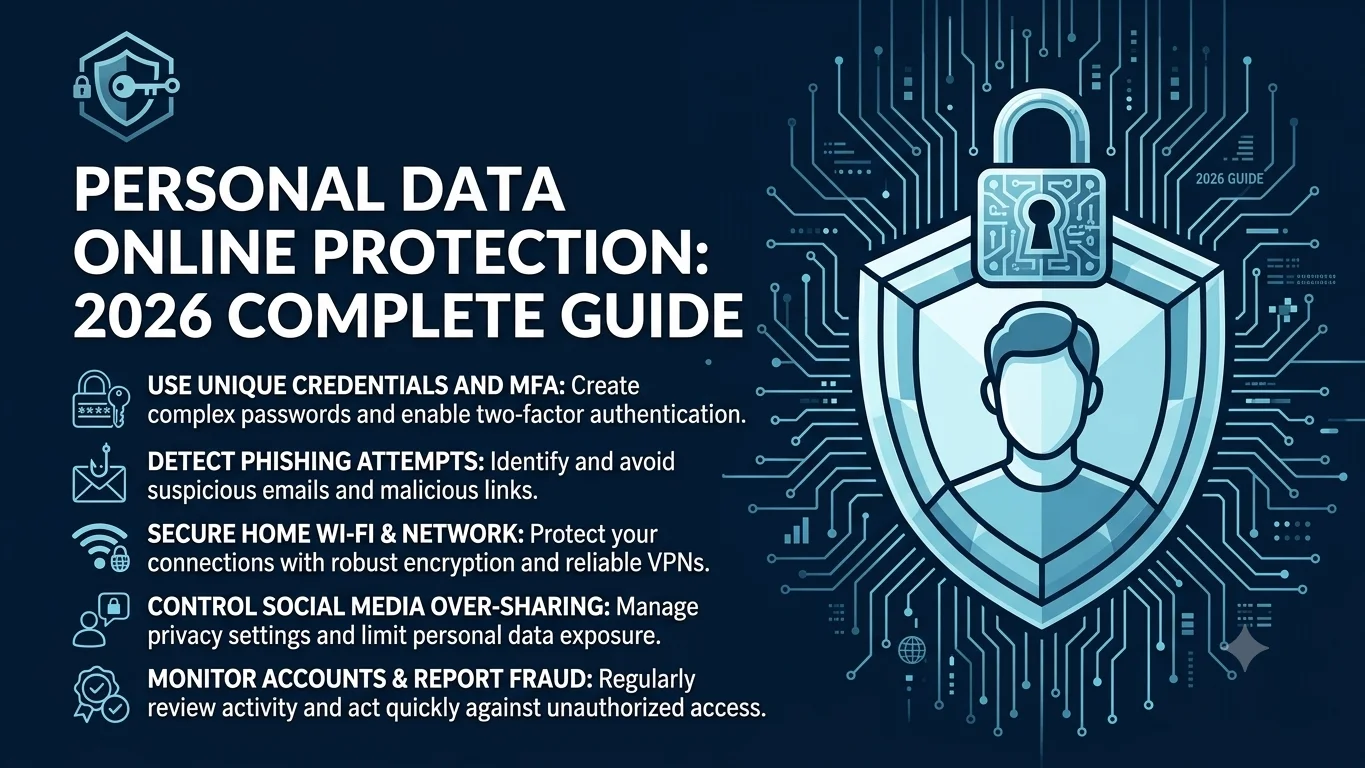
Your personal information is worth more than you think. Not in a warm, sentimental way in a literal, dollars-and-cents, someone-would-pay-for-this way. Your name, birthdate and Social Security number can be bought and sold. Your saved passwords can unlock your bank account. Even your pet’s name (hello, common security question) can help a stranger break into your email.
This guide is the one place you need to understand how to protect your personal information online and offline, because paper mail and store receipts still matter too. Below, you’ll get quick, direct answers to the questions people actually search for, plus links to deep-dive guides for each topic.
Quick stat check before we start: the FTC’s Consumer Sentinel Network logged <cite index=”3-1″>more than 1.1 million identity theft reports in 2024</cite> and 2025 was on pace to beat that number before the year even finished, according to the same <cite index=”1-1″>FTC data, cited by Review42</cite>. Meanwhile, the <cite index=”1-1″>Identity Theft Resource Center tracked 3,322 US data compromises in 2025 an all-time high</cite>. This isn’t a niche problem. It’s a background hum that touches almost everyone eventually.
The good news: most of the damage is preventable with boring, unglamorous habits. No cape required. Just a password manager, a bit of skepticism and five minutes of setup.
Who’s actually at risk? Everyone, but not equally. <cite index=”5-1″>The FTC found people aged 20-29 were the most likely to report losing money to fraud</cite>, largely because younger adults spend more time on the platforms scammers use to make first contact. Older adults, on the other hand, tend to lose more per incident once they’re targeted. Either way, “I’m too careful to fall for it” isn’t a security strategy it’s a coin flip.
This guide walks through the exact questions people ask about online privacy, roughly in the order they come up: what to do first, how to think about privacy as a concept and how to lock down your accounts, your computer and your offline paper trail. Each section links out to a deeper, dedicated guide if you want the full step-by-step version.
What Is the Best Way to Protect Your Personal Information Online?
If you only remember one sentence from this entire guide, make it this one: use a password manager and turn on multi-factor authentication (MFA) everywhere it’s offered.
Here’s why that combination beats everything else on this list:
- A password manager gives every account a long, unique password, so one leaked password can’t unlock your whole digital life.
- MFA adds a second lock on the door. Microsoft’s own research found that <cite index=”24-1″>MFA reduces the risk of account compromise by over 99% across its user base and by more than 98% even when the password had already leaked</cite>.
Everything else in this guide VPNs, privacy settings, careful sharing matters too. But password hygiene plus MFA closes the two doors attackers walk through most often: reused passwords and unprotected logins.
We cover exact setup steps for both in our 10+ Ways to Protect Your Personal Data guide, so consider that your action-item companion to this section.
One more note on MFA: not all versions are equal. A texted code beats nothing, but an authenticator app or a hardware passkey resists interception far better than SMS does. If a service offers a choice, skip the text message option when you can.
What Are 5 Ways to Stay Safe Online? (And 7 Internet Safety Tips)
People ask for “5 ways” and “7 tips” almost interchangeably and honestly, the internet doesn’t care which number you picked the habits overlap. Here’s the short version:
- Use unique passwords for every account. A password manager does this for you automatically.
- Turn on MFA. Preferably an authenticator app or a passkey, not just SMS codes, since text messages can be intercepted.
- Think before you click. Phishing links are still the easiest way in for attackers a suspicious link in a text or email deserves a second look, not a fast tap.
- Keep your software updated. Those “remind me later” update prompts are patching real security holes.
- Limit what you share publicly. Your hometown, your pet’s name, your mother’s maiden name all common security-question answers, all often sitting in plain sight on social media.
Notice that none of these require special technical skill. That’s intentional the 5-vs-7 debate mostly comes down to how granular you want to get, not disagreement about what actually works. The two extra items usually added in the “7 tips” version are reviewing app permissions and backing up your data, both of which take minutes and pay off the day something goes wrong.
For the full checklist — including the extended 7-tip version and the five specific things you should never post publicly — head over to our dedicated guide, X Ways to Stay Safe Online: The Essential Rules & What to Keep Private. It’s built to be your practical, print-it-out reference.
What Are the 7 Types of Privacy?
This question sounds academic, but understanding it actually makes you better at protecting yourself, because “privacy” isn’t one thing it’s seven overlapping things and each needs a different kind of protection.
Researchers <cite index=”12-1″>Rachel Finn, David Wright and Michael Friedewald formalized this in a widely cited 2013 privacy framework</cite> and it still holds up well over a decade later. The seven types are:
- Privacy of the person – <cite index=”12-1″>your body, biometrics and genetic information</cite>.
- Privacy of behavior and action – what you do, even in semi-public spaces.
- Privacy of communication – your messages, calls and emails.
- Privacy of data and image – photos, documents and the data trail you leave behind.
- Privacy of thoughts and feelings – opinions and beliefs you haven’t chosen to share.
- Privacy of location and space – where you are and where you’ve been.
- Privacy of association – who you connect and communicate with, cited in <cite index=”13-1″>Finn, Wright and Friedewald’s original taxonomy</cite>.
Once you see privacy broken into these seven buckets, a lot of “small” online habits start making sense. Sharing your live location isn’t the same risk as sharing your opinions in a private group chat but both count as privacy and both deserve a conscious decision, not an accidental overshare.
How Do I Keep My Info Private?
In practice, keeping your info private means applying protection to each of the seven types above:
- Lock down location data in your phone’s app permissions.
- Encrypt sensitive communication using apps with end-to-end encryption.
- Review social media privacy settings at least twice a year (platforms change their defaults more often than you’d expect).
- Avoid oversharing biometric data with apps that don’t clearly need it.
What Is the Simplest Way to Protect Data?
If “seven types of privacy” feels like a lot to manage, the simplest single move is this: encrypt your device and back up your data. Full-disk encryption (built into modern phones and laptops by default in most cases) means a lost or stolen device is just an expensive brick to whoever finds it, not an open book.
We go much deeper on both of these questions plus a practical breakdown of each privacy type in The 7 Types of Privacy Explained (And Why Each One Matters Online).
How to Remove Your Personal Information Online and Make Yourself Unsearchable
Here’s an uncomfortable truth: even if you do everything right going forward, your name is probably already sitting on a dozen “people search” sites, ready for anyone who Googles you. These data broker sites compile public records, old social posts and leaked data into a tidy profile and most people have never opted out of a single one.
At a high level, becoming harder to find online involves:
- Requesting removal from major data brokers and people-search sites.
- Auditing what old accounts and forum posts still have your real name attached.
- Checking whether your email has appeared in a known data breach.
- Adjusting search engine indexing where possible.
This is a bigger, more hands-on project than a quick tip list can cover fairly, so we built a full walk through: How to Remove Your Personal Information Online & Make Yourself Unsearchable. It includes the specific opt-out steps and what to do if you find out someone has been searching your name.
How to Protect Your Personal Information on Social Media
Social media is where privacy theory meets real life and where most people quietly ignore their own advice. It’s easy to lecture yourself about “privacy of location” and then post a check-in from the airport five minutes before boarding.
A few non-negotiables:
- Don’t post your location in real time. Share the vacation photos after you’re home.
- Lock down who can see your friends/followers list, since that list itself is useful information for scammers building a fake profile of you.
- Be suspicious of quizzes and “fun” questionnaires that ask for your first pet, first car, or childhood street; these map suspiciously well onto password recovery questions.
- Turn off tagging without approval, so friends can’t accidentally put your location or identity in a photo.
For a full platform-by-platform breakdown of settings worth changing today, see How to Protect Your Personal Information on Social Media.
10+ Ways to Protect Your Personal Data: The Cyber security Checklist
If the sections above were the “why,” this is the “how.” Protecting your personal information in a cyber security sense means treating your data the way a company treats its most valuable asset because, functionally, that’s what it is.
A short preview of what belongs on this checklist:
- Use a password manager and unique passwords everywhere.
- Enable MFA, prioritizing app-based codes or passkeys over SMS.
- Encrypt your devices and back up data regularly.
- Use a VPN on public Wi-Fi.
- Review app permissions on your phone quarterly.
- Freeze your credit if you’re not actively applying for new accounts.
- Check yourself against known data breaches periodically.
This matters because the financial stakes keep climbing. <cite index=”3-1″>Consumers reported losing more than $12.5 billion to fraud in 2024, a 25% jump over the prior year</cite>, according to the FTC. On the business side, <cite index=”31-1″>IBM’s 2025 Cost of a Data Breach Report found the average breach now costs organizations $4.44 million globally</cite> a cost that, one way or another, tends to land back on customers through higher prices or weaker protection.
A few more items worth adding to that list: turning off Bluetooth and Wi-Fi auto-connect when you’re not using them, reviewing which third-party apps have access to your email or cloud storage and setting up alerts for unusual account activity wherever your bank or email provider offers them. None of these take more than a few minutes and together they cover most of the gaps a determined attacker would otherwise look for.
The complete, step-by-step version of this checklist including tools worth paying for and ones you can skip lives in 10+ Ways to Protect Your Personal Data: A Cyber security Guide.
How to Protect Your Computer from Hackers
Your computer is the front door to almost everything else on this list: your email, your banking, your saved passwords. If it’s compromised, downstream protections matter a lot less.
The essentials, in short:
- Keep your operating system and browser updated (yes, really most exploited vulnerabilities have a patch available before they’re widely exploited).
- Run reputable antivirus/anti-malware software and let it update automatically.
- Use a firewall, which is usually already built into your OS and just needs to stay switched on.
- Avoid downloading software from unofficial sources, even when it’s “free.”
- Back up your files somewhere your computer can’t reach if it’s compromised (an external drive or a separate cloud account).
For the full 10-step hardening guide, including settings most people never touch, read How to Protect Your Computer from Hackers (10 Practical Steps).
How to Protect Your Online Accounts from Hackers (Including Instagram)
Accounts get hacked less often through sophisticated wizardry and more often through boring, predictable mistakes: reused passwords, no MFA and clicking a link that looked “close enough” to legitimate.
Instagram deserves its own mention because account takeovers there follow a very consistent pattern a phishing DM or fake “copyright violation” email, followed by a password reset that locks the real owner out. If you’ve ever seen a friend’s account suddenly posting crypto ads, that’s usually how it started.
Core account protection steps:
- Enable MFA on every account that offers it, starting with email (since email resets everything else).
- Use a unique, generated password per account.
- Be skeptical of urgent “your account will be suspended” messages — legitimate platforms rarely create that kind of panic.
- Regularly check your account’s active sessions and connected apps and revoke anything you don’t recognize.
The dedicated guide covers Instagram-specific recovery steps and platform settings in detail: How to Protect Your Online Accounts from Hackers (Including Instagram).
Protecting Your Personal Information Offline, Too
Online protection gets all the attention, but plenty of identity theft still starts with something physical. A stolen mailed bank statement, a receipt pulled from the trash, a lost wallet these are old-school risks that haven’t gone away just because we live online now.
Offline habits worth keeping:
- Shred documents with your name, account numbers, or Social Security number before tossing them.
- Collect mail promptly, or use a locking mailbox if porch and mailbox theft are common in your area.
- Don’t carry your Social Security card in your wallet day to day.
- Be cautious about giving your phone number or address to loyalty programs and in-store forms that data often ends up sold or breached later.
Older adults are disproportionately affected by offline and phone-based scams specifically and the financial toll adds up: <cite index=”4-1″>the FTC has reported that older adults lose over $16 billion a year to scams in the United States alone</cite>. If you have older relatives, a five-minute conversation about not giving out account numbers over the phone can genuinely prevent a life-changing loss.
Protecting your personal information online and offline really is one continuous habit, not two separate projects. A criminal doesn’t care whether they got your data from a phishing email or your recycling bin.
Quick Reference: Your Personal Information Protection Checklist
Bookmark this section. It’s the condensed version of everything above.
- [ ] Password manager installed and in use
- [ ] MFA enabled on email, banking and social accounts
- [ ] Devices set to encrypt automatically
- [ ] Regular software and app updates turned on
- [ ] Social media privacy settings reviewed
- [ ] Old, unused accounts closed
- [ ] Data broker opt-outs submitted
- [ ] Sensitive documents shredded, not tossed
- [ ] Credit freeze in place (if not actively applying for credit)
- [ ] Breach monitoring set up for your email address
FAQs
1. What is the best way to protect your personal information online?
The most effective approach is to use a password manager, enable multi-factor authentication (MFA), keep your software updated and avoid sharing sensitive personal information online.
2. How can I prevent identity theft?
You can reduce the risk of identity theft by using unique passwords, monitoring your financial accounts, checking for data breaches, limiting personal information shared online and freezing your credit when necessary.
3. Why is multi-factor authentication (MFA) important?
MFA adds an extra layer of security by requiring a second verification step. Even if your password is stolen, attackers are much less likely to access your account.
4. How do I protect my personal information on social media?
Review your privacy settings regularly, avoid sharing your live location, limit public personal details, approve tags manually and be cautious of quizzes or posts that request personal information.
5. What should I do if my personal information has been exposed in a data breach?
Change affected passwords immediately, enable MFA, monitor your accounts for suspicious activity, check your credit reports and watch for phishing attempts using your exposed information.
6. Is public Wi-Fi safe for accessing sensitive accounts?
Public Wi-Fi can expose your data to cyber criminals. If you must use it, connect through a trusted VPN and avoid logging into banking or other sensitive accounts.
7. How can I protect my computer from hackers?
Keep your operating system and applications updated, use reputable antivirus software, enable your firewall, avoid downloading files from untrusted sources and back up your data regularly.
8. Does protecting personal information also include offline security?
Yes. Shred documents containing sensitive information, secure your mail, avoid carrying unnecessary identity documents and be cautious when sharing personal information in person or over the phone.
The Bottom Line
Protecting your personal information online isn’t about becoming paranoid or disappearing from the internet. It’s about closing the easy, common doors attackers walk through weak passwords, missing MFA, oversharing and outdated software so that if trouble comes, it has to work a lot harder to reach you.
Start with the two biggest wins: a password manager and MFA. Then work through the deeper guides linked throughout this article, one topic at a time. None of this needs to happen in a single afternoon it just needs to actually happen.
References
- Federal Trade Commission – Consumer Sentinel Network Data Book 2024 – Comprehensive annual report on fraud, identity theft and consumer complaints.
- Federal Trade Commission – New FTC Data Show a Big Jump in Reported Losses to Fraud to $12.5 Billion in 2024 – Official FTC press release summarizing 2024 fraud loss statistics.
- Identity Theft Resource Center – 2025 Annual Data Breach Report – Annual analysis of data breaches and identity theft trends.
- Microsoft Research – How Effective Is Multifactor Authentication at Deterring Cyber attacks?
- IBM – Cost of a Data Breach Report 2025
- Finn, Wright & Friedewald Seven Types of Privacy (2013)

Zafar Iqbal is a content and blog writer specializing in technology, artificial intelligence, software and digital trends. He holds a Master’s degree in English Literature from the University of the Punjab, Lahore, which shapes his approach to clear, well-structured writing. Zafar focuses on breaking down complex technical subjects into content that is easy to follow without sacrificing accuracy or depth. His work draws on careful research, attention to detail and a practical understanding of SEO content strategy and keyword research ensuring articles are both informative and easy to find. He is particularly interested in how emerging technologies affect everyday users and works to present that information in a way that is useful rather than overwhelming. His writing aims to give readers a clear, reliable understanding of the topics that shape modern technology.
Leave a Reply